
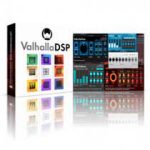
Valhalla DSP Bundle v2022.01.10 M1 + INTEL MacOS
ValhallaDSP – Creative Tools For Audio Workers
includes:
Delay v2.1.0 – tape/BBD/digital/pitch delay
Plate v1.6.5 – classic plate reverb
Room v1.6.5 – true stereo algorithmic reverb
Shimmer v1.2.5 – pitchshifting reverb
ÜberMod v1.2.5 – mutlitap delay & modulation
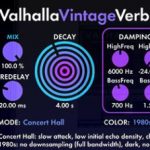
VintageVerb v2.2.0 – classic hardware digital reverbs of the 1970s and 1980s.
MacOS:
M1 / INTEL VERSIONS
VST3, VST, AU
YOU HAVE TO CODESIGN THE PLUGINS, SO PLEASE FOLLOW THE STEPS, IF YOU DON’T DO THAT VALHALLA PLUGINS WILL CRASH!!
Homepage https://valhalladsp.com/
Hi, I dont get where I am supposed to replace the K’ files…
No keyfile is created with the room plugin
Ableton 12 on Sequioa: Can’t select the generated keyfile, I get the
“ValhallaDelay Authorization
Valhalla Delay requires a license in order to run. Please locate the license that has been sent to your email in the next step. (…)”
– window with a CANCEL and an OK button, but clicking on either does nothing, its just stuck.
Is this a Sequoia prob? Thanks if anyone knows how to get around this.
THANK YOU BRO
password?
Hi guys / I installed everything according to the instructions and for some reason Ableton Live 11 does not see ValhallaRoom Vst and Vst 3, but this plugin is in the AU2 folder, but when the DaW plugin is turned on, it crashes. Tell me, what could be the problem? (mac OS Monterey 12.7)
FOR LOGIC PRO X
Install as stated in the description. copy k`d files to the mentioned folders. run terminal code. run keygen.
Here is the most important thing. OPEN LOGIC IN ROSETTA MODE. OPEN VALHALLA PLUGINS and add the license file, cause it will ask for it only in rosetta mode.
THEN GET IT AUTHORIZED, WHEN DONE. CLOSE Logic, UNCHECK ROSETTA MODE AND OPEN IN NORMAL MODE and VOILA ITS GOING TO WORK.
perfect solution, thank you very much!