

Topaz Photo 1.0.2 macOS
AI-powered photo editing tool that improves photos pixel by pixel.
What is Topaz Photo AI? It is a new-generation photo editing tool that uses AI technology to perfect and denoise pictures pixel by pixel. Topaz Photo AI simplifies the editing process for photographers and designers. Its groundbreaking suite offers multiple tools to satisfy both amateurs and confident pros.
Topaz Photo AI allows editors to denoise, sharpen, upscale, preserve text, recover faces, remove objects, correct lighting, and balance color. Professional photo editors will be amazed at how much power Topaz Photo AI gives, and beginners will appreciate how easy and intuitive this tool is.
Topaz Photo AI helps you Sharpen, remove noise, and increase the resolution of your photos with tomorrow’s technology.
Maximize the potential of your photos.
Magically enhance image quality and resolution based on a deep understanding of the contents of your photo.
Enhance Quality
Maximize the visual quality of your images with best-in-the-world noise and blur reduction. Particularly useful in difficult settings with fast-moving subjects, low light, or atypical environments.
Crisp, clear, and noise-free.
It’s a magical feeling to see noise evaporate while sharp detail remains. Topaz Photo AI understands the contents of your image and accurately determines the difference between image detail and noise.
Tack-sharp subjects.
Unlike traditional sharpening, Topaz Photo AI’s Sharpen module naturally reverses root causes of blurriness (camera shake, motion blur, missed focus) to create more natural results. In the absence of blur, sharpness remains – crisp, clear detail that’s free of edge haloes or other artifacts.
Increase Resolution
Join hundreds of thousands of photographers and designers who use Topaz technology to generate real image detail for better printing, cropping, restoration, and more.
Magically add real detail.
Topaz Photo AI “remembers” real detail from millions of similar images, then fills in missing pixels based on that understanding. (It’s like how you can picture a friend’s face without being physically in front of them.) Add real image resolution to your photos for tighter crops or better prints.
Recover faces naturally.
Introduced in 2023, the breakthrough Face Recovery AI offers remarkable detail enhancement for low-resolution or blurry faces.
Intelligently improve lighting.
It’s a magical feeling to see noise evaporate while sharp detail remains. Topaz Photo AI understands the contents of your image and accurately determines the difference between image detail and noise.
Improve efficiency with Autopilot
Specify adjustments based on detected image attributes like subject, faces, noise, and blur levels. Autopilot allows you to mold Photo AI to your workflow and unique photographic style.
Easy workflow
Topaz Photo AI works directly on your Mac or PC. Use the standalone to batch process thousands of images in sequence, or use it as a Photoshop plugin for tight workflow integration. We’ve also partnered with major hardware manufacturers like Nvidia, AMD, and Intel to make Photo AI run as fast as possible for your computer.
What’s New
Version 1.0.2:
- Release notes were unavailable when this listing was updated.
Compatibility: macOS 10.12 or later
Homepage https://topazlabs.com/
Screenshots

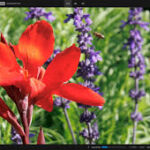
Applied the patch and it patched, great. While it does do the scaling and denoise… it keeps crashing on export reopening and resuming the last instance still crashes the app.
… copy the patch file, say, to Desktop and in the Terminal run:
sudo ~/Desktop/patch.command
@silvio : La password nel terminale è scritta alla cieca. È necessario inserire la password dell’amministratore e convalidare con il tasto Invio.
@drublizzy : After installing the application, you just have to double-click on the patch which opens a Terminal window where you must blindly enter your administrator password and validate with the enter key.
Is there someone to help me with the basics of applying the patch , I’m a nube! Thanks
e’un probblema solo mio se sul terminale non mi fa scrivere la pasword ?
Thanks bro
@me I think that it takes up so much space because it installs hi res photo models that it uses
Works perfectly on iMac Intel under MacOs Ventura 13.7.5.
Install with open internet connection without Little snitch filter to be able to download the 164 AI models during installation. Once the installation is complete, launch the Patch which opens a Terminal window asking for your administrator password to finalize the operation. Then all that remains is to enjoy.
it works perfectly fine on intel, however, it will take up over 36gb in total once it had downloaded all the modules.
just install the pkg, then open the patch with terminal, type your mac password and hit enter and you should be fine.
pide password
Thank you
Where is « alcove » ? It’s gone
Alcove torrent link
“Albert”: Back to 3rd-grade English, dumbo.
@RookieS your password is the password you use to log into your mac. If you are the “administrator”.
Dont’work with the patch, reclaim license (iMac 2017 – Ventura 13.7.8.
patch for? Can it work on intel macs?
What is the patch for? Can it work on intel macs?
patch asks for a password, where do i find the password?
Yes, working on Mac mini m4 – Tahoe
is it working?