
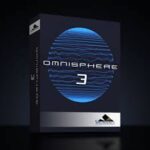
Spectrasonics Omnisphere v3.0.1c macOS | AU VST3 VST SAL
A New World: Omnisphere® is the flagship synthesizer of Spectrasonics – an instrument of extraordinary power and versatility. Top artists all over the world rely on Omnisphere as an essential source of sonic inspiration. This award-winning software brings many different types of synthesis together into one amazing-sounding instrument that will spark a lifetime of exploration.
Thousands of Fresh New Sounds, Faster Access, Same Size
Truly massive new factory collection of 18 stunning libraries of thousands and thousands of super creative and inspiring new sounds from the award-winning Spectrasonics Sound Design team.
Curated
Rapidly find exactly the sounds you need within the highly curated new libraries, meticulously organized by type of use.
Remastered
All of the original classic Omnisphere patches have been carefully remastered and refreshed with the latest v3 features and Effects.
Optimized
With new lossless optimization technology, the stunning Omnisphere 3 sound library actually takes NO MORE hard drive space than Omnisphere 2.
New STEAM content required — download and install separately
Release Notes
Omnisphere Software v3.0.1c
• Fixes issue in Apple Mainstage where patch changes and the panic feature triggered a note event in the AU plugin.
• Fixes issue where Trigger mode quantization did not work when the DAW transport was active.
• Fixes issue where the Full Browser Category list became invisible after toggling between the Match and Browse tabs in the Mini Browser.
• Fixes bug where the Arpeggiator could drop notes when using the Lowest/Highest step modifiers.
• Fixes image loading issues caused by saving a Sonic Extensions, Keyscape, or Trilian Custom Pane patch as a User patch.
• Fixes multi-channel output routing issues in Cubase.
• Fixes MPE playback issues that could occur when recalling a saved project in Digital Performer, or recalling an instrument rack preset in Ableton Live.
• Fixes issue where notes could get cut off if an MPE controller (such as the Linnstrument) sent Omnisphere Note Off events with the same pitch on
different channels.
• Adds tab syncing for the Main pane when switching parts from the full browser.
• Fixes issue where the menus in some Effect modules could display a checkmark next to the wrong item.
• Fixes issue where Pro Verb sounded incorrect after changing the Host Sample Rate.
• Fixes bug that caused the Global Vibrato LFO to sound incorrect after loading patches created by Omnisphere v2.3 or earlier.
• Fixes issue where MIDI Note Learns assigned to Live Mode’s Part On/Off buttons did not save/recall.
• Fixes MPE issue where master channel pitch bend, pressure, and CC #74 messages did not work properly with SOLO mode enabled.
• Adds patches from the Sharing directory to the “View All Directories” patch list.
• Fixes issue where Project names did not appear in alphabetical order in the patch browser.
* Adds missing “Mix” parameter label to the Unstable Drifter effect.
• Updates the “Open Hardware Profile Guide” URL in the HW Profile menu.
• Windows only: Fixes crash that occurred when opening the Envelope Zoom pane on some Windows systems.
• Windows only: Fixes graphics redraw issues on the Envelope Zoom pane
FX-Omnisphere v3.0.1c
• Fixes issue where the menus in some Effect modules could display a checkmark next to the wrong item.
• Fixes issue where Pro Verb sounded incorrect after changing the Host Sample Rate.
• Adds missing “Mix” parameter label to the Unstable Drifter effect.
Homepage https://www.spectrasonics.net/products/omnisphere/overview.php

Library is incomplete
qualcuno ha trovato la libreria AAX per protools ?
I am running Tahoe on a MacBook Pro w/ M1 and I can’t get this installed after trying everything I could think of. I have the main app, (with Whiskey to run the .exe keygen) and the library. If anyone has any advice, I sure wopuld appreciate it.
After much frustration (combinations of ignorance, trying different versions, etc), I got it working. I hope this helps:
I have a MacBook Pro running Tahoe w/ an M1 Pro processor (that had ample free drive space prior to installation). I don’t know if any of that is relevant, but here is what I did, IN THIS ORDER, to make things work FOR ME: I did not install the sound library on a separate drive, so that was not part of my process described below. So keep that in mind, because the sounds require 60+GB. Part of the steps include revealing hidden files. In addition to the method described in the steps that I followed, there are other ways to reveal hidden folders and files, either temporarily or permanently. For these methods use Google or ChatGPT.
If you have any previous versions or even previous attempts of Omnisphere, navigate to Library–>Audio—>Plugins, and delete any Omnisphere stuff from each of the subfolders. Then delete any Spectronics folder at Library->Application Support–>Spectronics. This folder may be hidden. To reveal it: with a Finder window open, hold down the option key, and navigate to the Library, found in the Go menu. Then download the full version of AppCleaner, run it, switch to SmartDelete in settings, and then drag and drop into AppCleaner any Omnisphere app you may see in Applications.
Download the Omnisphere 3 library (approx. 60 GB) using the link provided by “Deejay” that can be found in this message thread. * I downloaded and extracted the library, but kept it in my Downloads folder.
Keep in mind that my success was achieved by doing all of these things in order. I don’t know for sure, but I think that having the sound library already extracted/unzipped prior to installing the program is important.
The next step I took was to download and run the Omnisphere v3.0.1c on this page. It was installed with no issues.
I was able to open both the standalone and plugins, but didn’t even see a folder at Library->Application Support designated for the sounds.
What I didn’t realize was that there WAS a folder for the sounds – but it was hidden (/Library->Application Support->Spectronics). So with my Finder window open, I held down the option key, and selected Library under the Go menu. This not only revealed the hidden Library->Application Support->Spectronics folder, but revealed the folder’s 60GB of content!
This is the way it worked FOR ME so I can’t guarantee it will work for everybody, but I assume that during the installation of Omnisphere v3.0.1c, the program must have automatically searched for, and located, the extracted Sound library files in my Downloads folder, and copied them over to the newly created subfolder under Library->Application Support->Spectronics. That location includes several subfolders, including the one labeled STEAM.
Use LittleSnitch to block outgoing connections is suggested
chi mi aiuta con la libreria ?
Works great, thanks for the library torrent as well. For previous users, this update will brick almost all of your previous steam library packs.
Is the library torrent not included in this torrent?
The library is approx 57GB
Any solution to the STEAM folder not being found?
Worked for me too! Thanks so much for posting the library.
Does anyone have a torrent for the Keyscape library too?
How did you install?
See my post regarding how I made it work for me
I took a gamble on the Library being version 3 ….and…..IT IS 🙂 ….woop woop woop
Thank you Deejay and the original poster…..your are both my Hero’s…once again many many thanks 😉
Torrent Works and so does the library torrent I can’t believe my luck thanks everyone involved!
Hi Deejay….thank you so so much for the magnet link…is this for V3 ?? …as it looks to be the same size as the V2 library i already have….they’re almost identical in size…i would’ve expected V3 to be bigger than v2….i need to make sure before downloading hence my question.
Many thanks in advance…James.
magnet:?xt=urn:btih:144EF743C3B66B5ED2653836F8B1F2FBF94C2A0C&tr=http%3A%2F%2Fbt2.t-ru.org%2Fann%3Fmagnet&dn=Spectrasonics%20-%20Omnisphere%203%20Library%20(Soundbank)
Library Torrent
I tried to install yesterday.
this message appeared while the app was installing.
There has been an error.
Error changing ownership of /Applications/Omnisphere.app to 0
The application will exit now.
I’m still having trouble, but I do know that you need to manually trash the plugins (library–>application support–> ). any plugin that says omnisphere. Then downlaod and use appcleaner to uninstall the prev Omnisphere, setting it where it will look/find associated files
I finally figured out how to install, so you might want to disregard this comment. See my newest post
Can some kind soul please please please share the Library file via a Torrent link as it will be too big to download in one go.
Many thanks in advance 🙂
What is the point of uploading this if you’re not going to provide, or tell us how to get the library? 🙁
Copy and paste this into your browser, and then it should prompt you to open your torrent program:
magnet:xt=urn:btih:144EF743C3B66B5ED2653836F8B1F2FBF94C2A0C&tr=http%3A%2F%2Fbt2.t-ru.org%2Fann%3Fmagnet&dn=Spectrasonics%20-%20Omnisphere%203%20Library%20(Soundbank)
see my newest post
¿Dónde veo tu publicación más reciente? No encuentro para poder descargar las librerías del Omnisphere 3
this update bricks your Moog Library
The Library? I guess the half size of the full internet is that.
searching for it too
where is the library? link for download please!?!?